Creating Developer's Docker Linux Virtual Machine on Azure

For an upcoming developer event on Docker I had to create handful of Linux Ubuntu virtual machines on Azure with Docker and few additional software installed on it.
I looked into couple of ways to to do that on Azure in a consistent fashion. The first option was to use DevTest labs and use artifacts. Another option is to use Custom Extensions. There are other options including creating your own base virtual machine image with all the software installed and then upload it on Azure. I picked custom extension approach mainly because its the simplest approach and I knew the software that I needed to install won’t take more than ~5 minutes on average. It also has a reasonable tradeoff (speed of deployment versus managing your own virtual machine image etc.)
Anyways, the actual process to leverage custom extensions are rather straightforward. Create the scripts. Create the scripts and then call them in your ARM Template (which is a JSON file).
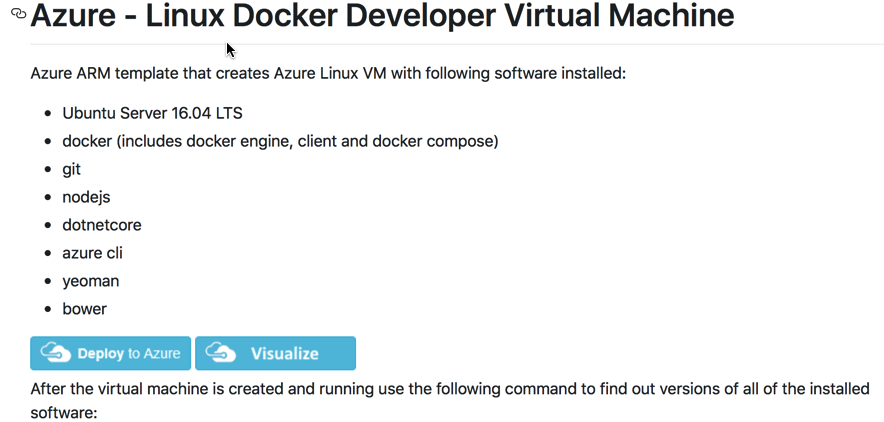
Here is the complete list of software. I choose to use Ubuntu 16.04 LTS Azure Virtual Machine image so that wasn’t needed to be installed.
- Docker (Engine & Client)
- Git
- Nodejs
- Dotnetcore
- Yeoman
- Bower
- Azure Command Line Interface (CLI)
The approach I took was to create a single script file for each one of them to keep things simple and clean.
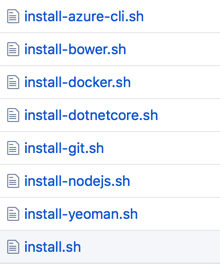
Once done with the scripts all I need to do is reference/call the install.sh script from the custom extension. Take a look at it on at line 211 in JSON.
If you like to look at the code artifacts I have made them available at Git repo. You can also simply try out creating a virtual machine by single clicking “Deploy on Azure” button. You do need an active Azure subscription before you can deploy virtual machine on Azure.
Read next
- Digital Identity
Entra Agent ID Across Clouds: Part 5, Anti-Patterns
Final article in the five-part series on running Microsoft Entra Agent ID against third-party clouds. Closes the loop with the variants and failure modes that consume the same operational budget as the federated pattern without delivering its security properties, and ends with the takeaways worth pinning to the team wiki.
- Digital Identity
Entra Agent ID Across Clouds: Part 4, FIC, Cross-Tenant, and OBO
Fourth article in the five-part series on running Microsoft Entra Agent ID against third-party clouds. Opens up the Federated Identity Credential as a first-class object: single-tenant, cross-tenant SaaS shape, and the orthogonal world of on-behalf-of (OBO) where the agent acts for a signed-in user.
- Digital Identity
Entra Agent ID Across Clouds: Part 3, Managed Identity and Entra Objects
Third article in the five-part series on running Microsoft Entra Agent ID against third-party clouds. Pins down what the UAMI actually is in this architecture, why SAMI breaks federation, the three distinct Entra objects (UAMI, Blueprint, Agent Identity) and the three claims (sub, azp, oid) they each populate, and the production trade-off between federating the UAMI or the Agent Identity to the cloud.
Worth reading again?
Get the next one in your inbox.